Smarter VA-Management With Real-Time AI Insights
PulseLog helps managers track employee activity and detect roadblocks, keeping projects moving smoothly
Built for privacy-conscious teams
Get the insights you need without compromising employee trust or regulatory compliance.
- • Application and website tracking
- • Keystroke and mouse activity detection
- • Automatic content blurring
- • Employee pause controls
- • Productivity trend analysis
- • Blocker detection and alerts
- • Granular permission controls
- • Department-level reporting
- • Automatic time categorization
- • Project-based time allocation
- • Complete audit logging
- • Data retention controls
How PulseLog works
Simple setup, powerful insights in four steps
Install Desktop Agent
Deploy across your team with enterprise tools
Collect Activity Data
Automatic tracking with privacy preservation
Get Actionable Insights
Dashboard analytics and productivity reports
Powerful Desktop Application
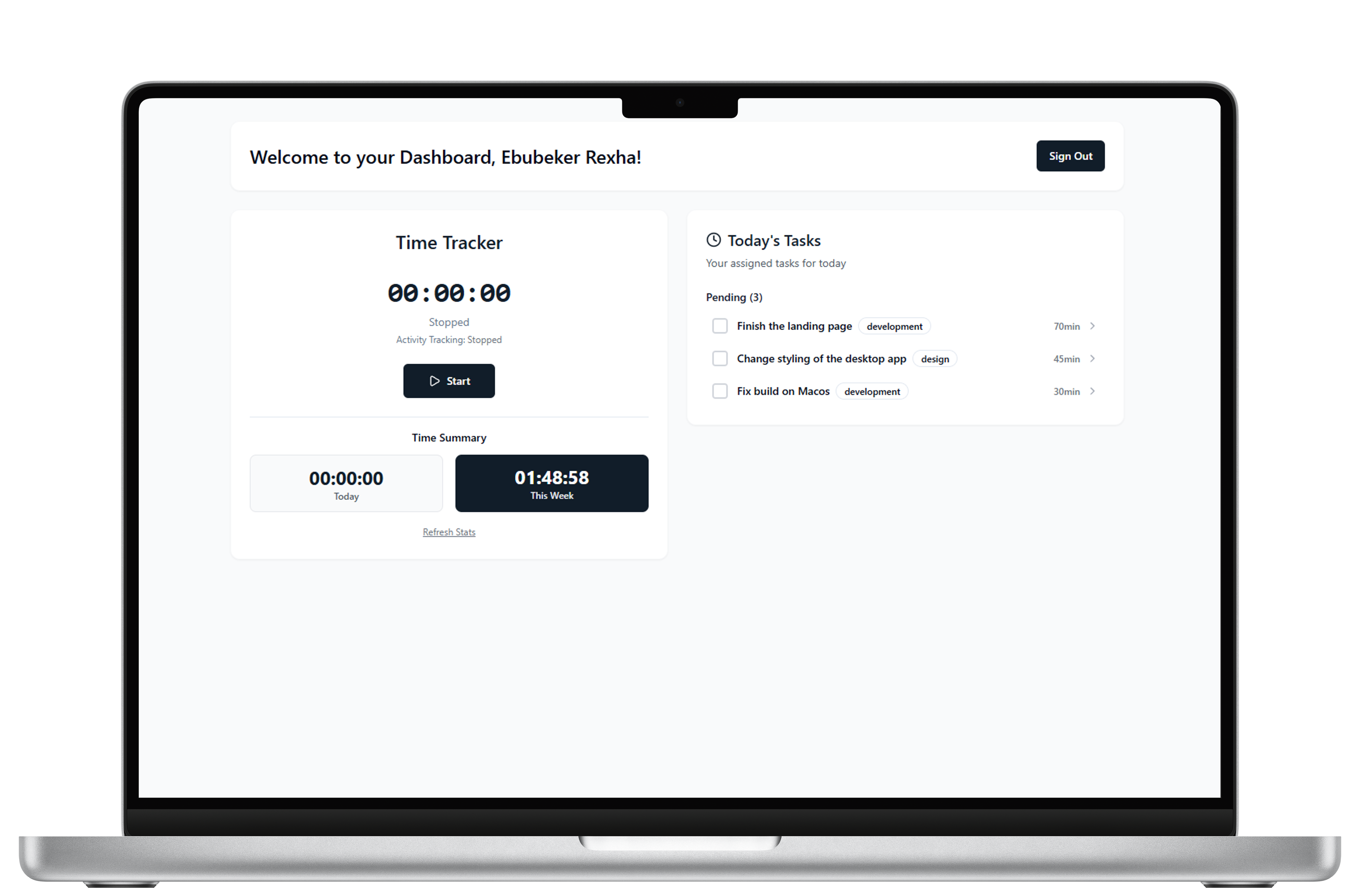
PulseLog runs seamlessly in the background on Windows, macOS, and Linux, automatically tracking your team's activity without disrupting their workflow.
Intelligent Activity Tracking
Monitors applications, websites, and active time with smart categorization
Privacy-First Design
No screenshots, no keylogging - only productivity insights that matter
Real-time Analytics
Live dashboards and detailed reports help teams optimize their performance
Frequently Asked Questions
Common questions about PulseLog's privacy-first approach
PulseLog uses automatic content obfuscation, employee pause controls, and privacy-first design. Employees can control their privacy settings and pause tracking at any time.
PulseLog supports Windows 10+, macOS 11+, and major Linux distributions including Ubuntu, RHEL, and CentOS.
Yes, employees have full access to view, export, and request deletion of their personal activity data through the dashboard.
PulseLog uses advanced algorithms to accurately detect active work time, application usage, and productivity patterns with minimal false positives.
Employee data is automatically deleted 30 days after account deactivation, or immediately upon request, in compliance with data retention policies.
Ready to understand your team's productivity?
Get custom pricing tailored to your team's needs and requirements.